Discoloured marks or bubbles ceramic glass cleaning tips
Issue
- Discoloured ceramic glass
- Marks
- Bubbles
- Ceramic glass cleaning tips
Applies to
- Induction Cooktop
- Ceramic Electric Cooktop
Solution
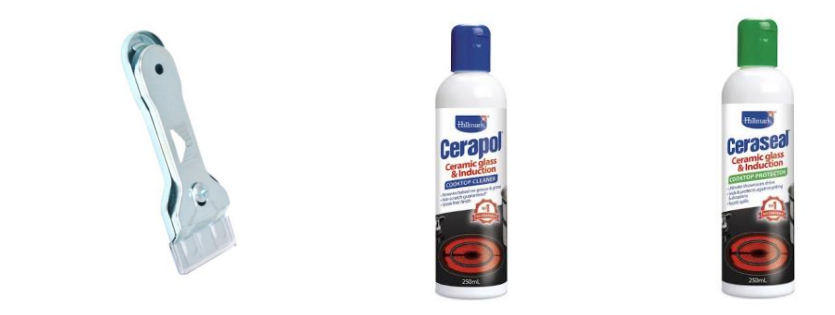
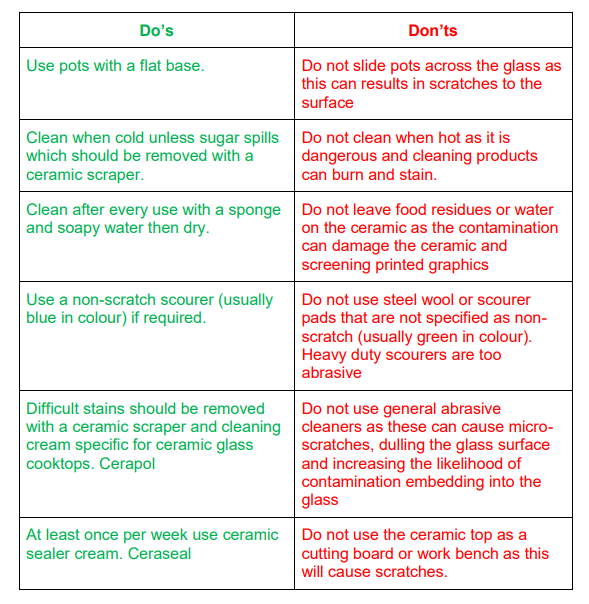
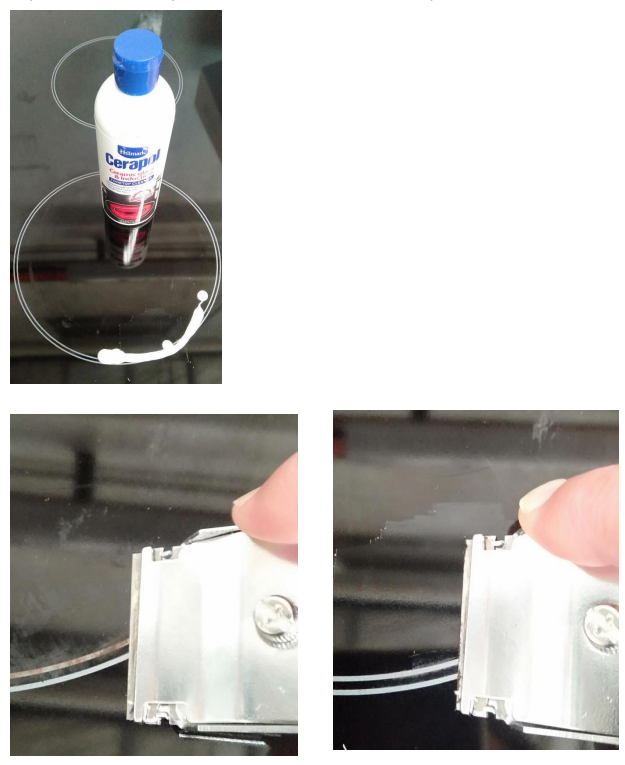
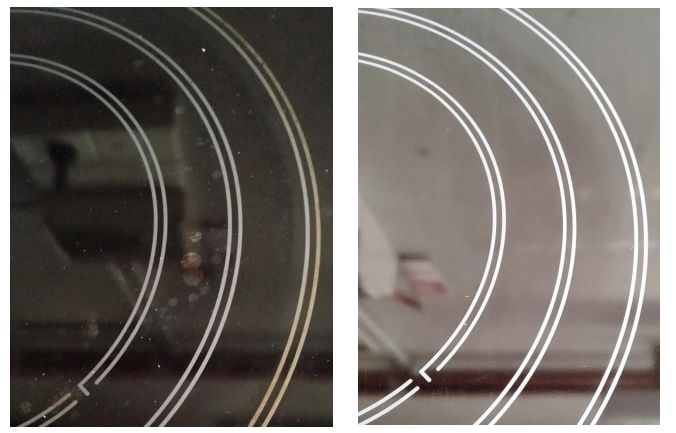
Most marks can be removed using an appropriate ceramic cooktop cleaner and razor blade scraper, followed by a ceramic cooktop protector.
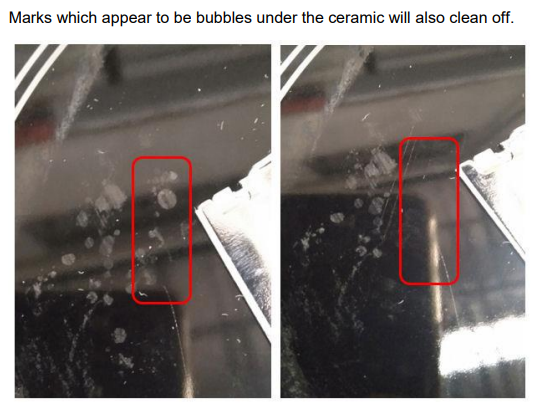
Sometimes SURFACE stains appear to be ‘bubble’ marks under the ceramic glass. These can be cleaned off with a razor blade scraper and ceramic cleaner. Keeping the ceramic cooktop clean and protected will keep it in good condition and help avoid breakage.
4055561569 Scraper
4055561577 Ceramic Cleaner
4055561585 Ceramic Protector
Was this article helpful?
Related Articles
- Oven Child Lock - Turning On and Off AEG
- Oven displays error F101 or F102
- Cleaning Oven Door - Video
- Oven light does not work
- Oven displays error F908, F113
- Carbon Filters How often should you replace them
- Condensation on Rangehood surfaces
- Rangehood noise - Troubleshooting
- How to use the pizza function on your oven
- The ignition on my gas hob keeps sparking
Related Articles
- Oven Child Lock - Turning On and Off AEG
- Oven displays error F101 or F102
- Cleaning Oven Door - Video
- Oven light does not work
- Oven displays error F908, F113
- Carbon Filters How often should you replace them
- Condensation on Rangehood surfaces
- Rangehood noise - Troubleshooting
- How to use the pizza function on your oven
- The ignition on my gas hob keeps sparking